


Spider Solitaire
4.61.85K Reviews
App Specs
- Version
- 1.6.0
- Updated On
- License
- Free
- Downloads
- 1,000,000+
- Developer
- Gimica GmbH
- Categories
- Card
- Platform
- Android
Screenshots
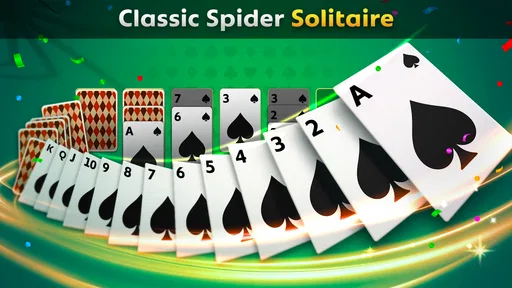
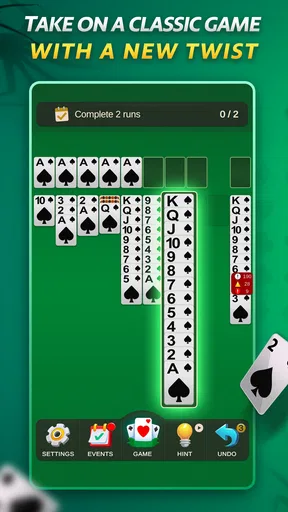
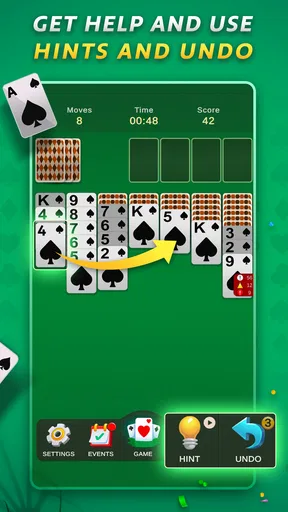
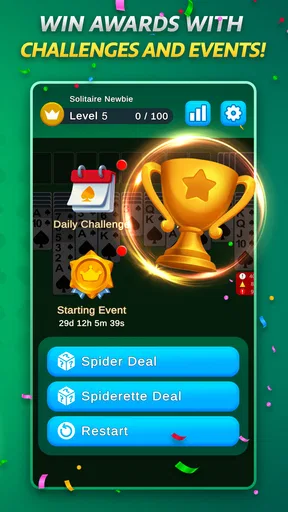
 Analysis by AppCompare
I use Spider Solitaire as a quick card puzzle when I want something quieter than a reflex-heavy game but more involved than a simple matching app. Its appeal is the steady decision-making: each move can open space for a useful sequence or make the next deal harder to manage. It suits short breaks, though a promising board can easily keep me playing longer than I planned.
A useful rhythm for everyday play
A typical round works best when I treat it as a series of small decisions rather than a race to move cards. I scan the columns for descending runs in the same suit, then look for moves that uncover a face-down card or create an empty column. That empty space matters: it gives me somewhere to temporarily shift a card or sequence while I reorganize a crowded board. Moving cards just because they fit can feel productive, but it may leave the columns less flexible a few turns later.
For a realistic daily use, I might play one deal while waiting for a kettle to boil, then stop if the board is still tangled when the tea is ready. If I have a longer break, I can settle into a more deliberate round and think through the consequences of dealing another row. The game is easy to return to because its basic aim is familiar, but I still need to be comfortable pausing a round rather than treating every spare minute as a reason to start another.
Small habits that make decisions clearer
My most reliable habit is to check whether a move reveals a hidden card before I make it. Turning over a card can give me new information and sometimes unlock a sequence, while a move that only rearranges visible cards may not improve the board. I also try to avoid breaking a same-suit run unless doing so exposes a face-down card or creates a genuinely useful destination. The longer the suit sequences I preserve, the easier it is to move them as a unit.
When several moves look equally reasonable, I look for the one that leaves the most options open. An empty column is valuable, but filling it immediately with the first available card may waste its flexibility. I consider what I might need to park there next: a high card can support a longer descending build, while a temporary move can help uncover a blocked column. This is a simple way to make play more consistent without needing to memorize elaborate strategies.
Who is likely to enjoy this version
This card game is a good fit if you already enjoy solitaire and want a slower puzzle in which planning matters. It can also work for someone learning the genre, since the familiar cards and straightforward goal make it approachable before the more complicated suit arrangements start to demand attention. Gimica GmbH developed this free game, and its broad Everyone age rating makes it suitable for a general audience.
It is less suited to players looking for a competitive multiplayer match, a story campaign, or constant novelty from round to round. Spider Solitaire’s pleasure comes from working with a tableau, not from social features or a changing cast of characters. If you prefer quick action or dislike repeating a core format, a different kind of mobile game will probably hold your interest better.
Worth Reading Before You Choose

EA SPORTS FC Mobile 26 Is a Bigger Football Game, but It Takes Time

Flipboard Shows What News Apps Must Do Beyond the Feed

Switching to Android Auto Means Rethinking Your Driving Routine

Google Calendar Makes a Crowded Week Easier to Manage

Ludo King Makes the Most of the Minutes Between Plans

Baby Panda World Brings Quick Play to Modern Phones, but Its Game Library Feels Busy
How it compares with other solitaire choices
Compared with a basic one-deck solitaire game, Spider asks me to manage more columns and think about suit continuity, so it feels like a deeper puzzle. Spiderette offers a more compact variation for players who want the same family of card logic in a different layout. The choice between them is less about which is universally better and more about whether I want the roomier, more involved Spider board or a shorter-feeling alternative.
Against a physical deck, the phone version is convenient: I do not need to set up cards or tidy them away, and I can play wherever I have a spare moment. A tabletop deck may still be preferable if I want a screen-free activity or enjoy handling the cards. For digital play, the key question is whether this particular app’s interface and interruptions suit your routine, not simply whether you like solitaire in general.
What Makes Spider Solitaire So Addictive?
Right off the bat, if you’ve ever dabbled in card games on your phone, you know that not all solitaire games are created equal. Spider Solitaire takes the basic premise of stacking cards and adds a layer of complexity that’s both challenging and rewarding. You start with 10 piles of cards, and the goal is to create sequences from King to Ace. Sounds simple enough, right? Well, think again!
Features That Stand Out
Let’s dive into some of the features that make this game a must-have on your phone:
- Multiple Difficulty Levels: Whether you're a beginner or a seasoned pro, there’s a difficulty level to match your skills. Start with one suit and work your way up to two or four suits for an intense challenge.
- Intuitive Controls: The controls are smooth and straightforward. You simply drag and drop cards to their rightful place. I mean, who doesn’t love a game you can easily play with one hand while sipping your morning coffee?
- Customizable Themes: If you’re like me and love personalizing your experience, you’ll enjoy the various themes and card backs you can choose from. It’s all about making the game feel uniquely yours.
Building a repeatable routine
For a more controlled session, I pick a difficulty before starting and keep it fixed for a few rounds. Switching suit counts changes the kind of planning the board demands, so comparing a relaxed one-suit game with a harder one is not a fair measure of improvement. If I want a useful personal benchmark, I stay with the same setting and focus on one habit, such as uncovering cards sooner or preserving long same-suit runs. The point is not to turn a casual game into homework; it is to notice which choices lead to less clutter.
I also separate experimentation from a serious attempt. In an exploratory round, I try moves to see how the layout responds. In a careful round, I pause before dealing another row and check whether the visible columns can be improved first. That pause is especially useful when several columns are nearly organized: adding cards can create new options, but it can also cover cards I was close to accessing. A repeatable routine makes that decision feel less like guesswork.
Settings to check before settling in
Personalization is useful when it improves readability rather than simply changing the look. I choose a card face and background combination that makes suits easy for me to distinguish at a glance; in a multi-suit game, a tiny hesitation over which suit I am moving can disrupt an otherwise sound plan. If the screen feels visually busy, a calmer theme may make it easier to scan columns. These choices are small, but they matter more during a longer session than during a single quick deal.
The available difficulty choice is another setting worth matching to the time and attention I have. One suit is a sensible place to learn the rhythm or play while distracted, while two or four suits ask for more care in building and separating sequences. I would not use a challenging setting as a test of whether the game is enjoyable if I am tired or multitasking; the extra complexity can make a short break feel frustrating. Starting with an easier arrangement and moving up when the decisions feel routine is a more comfortable way to learn.
Shortcuts in thinking, not magic buttons
The fastest experienced play is usually about reducing avoidable moves, not tapping faster. I scan from column to column in the same order each turn, note which face-down cards are still blocking progress, and then make the move that reveals information or improves a useful run. That repeatable scan keeps me from overlooking an obvious option when the board is crowded. It also makes it easier to spot when two moves are effectively equivalent, so I can choose the one that preserves more space.
When a card can go onto more than one valid target, I consider the destination’s suit and the sequence it will extend, rather than choosing the nearest column. A move that temporarily creates a longer mixed arrangement may be legal but less helpful than keeping same-suit cards together. If I have an empty column, I treat it as a resource to spend deliberately, not a target that must be filled right away. These habits are more dependable than trying to play at speed, especially when a deal has several suits in motion.
What the challenge does—and does not—offer
The core appeal remains a solo puzzle, so players who need opponents, chat, or a shared leaderboard as the reason to return may find it limited. Daily challenges, badges, and events add reasons to revisit the game, but they do not change the basic card-by-card nature of a round. I see those extras as prompts for a fresh session rather than a substitute for a different game mode. If I want a varied evening, I would alternate this with another genre instead of expecting every deal to feel radically new.
There is also a trade-off between an easy setting and a satisfying test. A simpler suit arrangement makes it easier to learn how columns and sequences interact, but it may not hold the attention of someone already comfortable with Spider. The multi-suit options offer more demanding decisions, yet they can make progress slower and a board harder to recover. I would choose based on whether I want a calm break or a puzzle that asks me to stay focused, rather than assuming the hardest option is always the best one.
The game has a 4.6 average from around 28,000 ratings, and it has passed 500,000 installs. Those figures suggest that it has found a substantial audience, but they do not tell me whether its interruptions or pace will fit a particular player. It is free to play, with in-app purchases priced from $0.99 to $3.49 per item. I would begin without spending and decide later whether anything offered is worth it for my own routine; no purchase is needed to understand the central appeal of arranging the cards.
Practical trade-offs before you download
Ads can interrupt the calm that makes solitaire appealing, and in my experience that is the most noticeable friction in a free card game. If you usually play in tiny gaps, an interruption may take up a larger share of the session than it would during a longer sit-down. I would keep that in mind if uninterrupted concentration is important to you. The game’s version is 1.3.0 and it requires Android 7.0 or later, which is useful to check before installing on an older device.
For someone who asks whether a round can be enjoyed without mastering strategy, my answer is yes: the one-suit option gives room to learn the basic flow, and the challenge can grow as confidence does. If you wonder whether it is a good choice for a commute, it can be, provided you are happy to play in short bursts and tolerate the occasional interruption. Someone who wants a completely screen-free pastime or a dependable competitive match should choose a physical deck or a different game instead.
Why You’ll Keep Coming Back
There’s something inherently satisfying about solving a Spider Solitaire puzzle. Each game feels like a small victory, and the sense of achievement when you finally see those cards line up perfectly is pretty addictive. Plus, it’s a great way to unwind and give your brain a little workout.
Another thing I appreciate is the game’s ability to track your stats. Whether it’s your fastest completion time or your highest score, it’s always fun to see how you stack up against your previous attempts. It’s like a little competition with yourself—who doesn’t love a bit of self-improvement?
The Good, the Bad, and the Addictive
Alright, let’s get real. No game is without its quirks. Occasionally, the ads can be a bit intrusive, especially when you’re in the zone. But hey, that’s the price of free entertainment these days, right?
However, the overall experience is smooth, and the occasional ad break gives you a moment to stretch your fingers before diving back into the action. And trust me, once you start, it’s hard to stop. It’s like potato chips for your brain.
Final Thoughts
So, is Spider Solitaire worth downloading? Absolutely. If you’re looking for a game that’s easy to pick up but hard to master, this is it. Whether you’re a fan of card games or just need something to pass the time during your commute, Spider Solitaire is a fantastic choice.
In the end, it’s about finding those little joys in life, and for me, this game is just that—a little pocket of fun I can carry around all day. Happy card stacking!
Pros
- Intuitive interface that's easy to navigate.
- Multiple difficulty levels for all players.
- Offline mode available for uninterrupted play.
- Customizable themes and card backs.
- Smooth animations enhance gameplay experience.
Cons
- Ads can be intrusive during free play.
- Limited daily challenges for advanced users.
- No multiplayer option for competitive play.
- Some themes are locked behind a paywall.
- Occasional lag on older devices.
FAQs for Spider Solitaire
What is Spider Solitaire and how does it differ from classic Solitaire?
Spider Solitaire is a popular card game that involves arranging cards in descending order to clear them from the board. Unlike classic Solitaire, Spider Solitaire uses two decks of cards and offers varying levels of difficulty, from one suit to four suits, providing a more complex and strategic gameplay experience.
Is Spider Solitaire available for both Android and iOS devices?
Yes, Spider Solitaire is available for download on both Android and iOS platforms. Users can find the app on the Google Play Store for Android devices and the Apple App Store for iOS devices, ensuring a seamless gaming experience across different mobile operating systems.
Does Spider Solitaire require an internet connection to play?
Spider Solitaire can be played offline, making it a great option for users who want to enjoy the game without an internet connection. However, some features, such as leaderboards or in-app purchases, may require internet access to function properly.
Are there any in-app purchases or advertisements in Spider Solitaire?
Spider Solitaire typically offers in-app purchases to enhance the gaming experience, such as additional themes or undo options. Additionally, the free version of the app may display advertisements. Users can often opt for a paid version to remove ads and access premium features.
What are the system requirements for installing Spider Solitaire?
Spider Solitaire requires a compatible device running Android 4.1 or higher, or iOS 9.0 or later. Most modern smartphones and tablets support the game, but users should ensure they have sufficient storage space and meet the minimum OS requirements for optimal performance.


